Between Hours
¹ Why
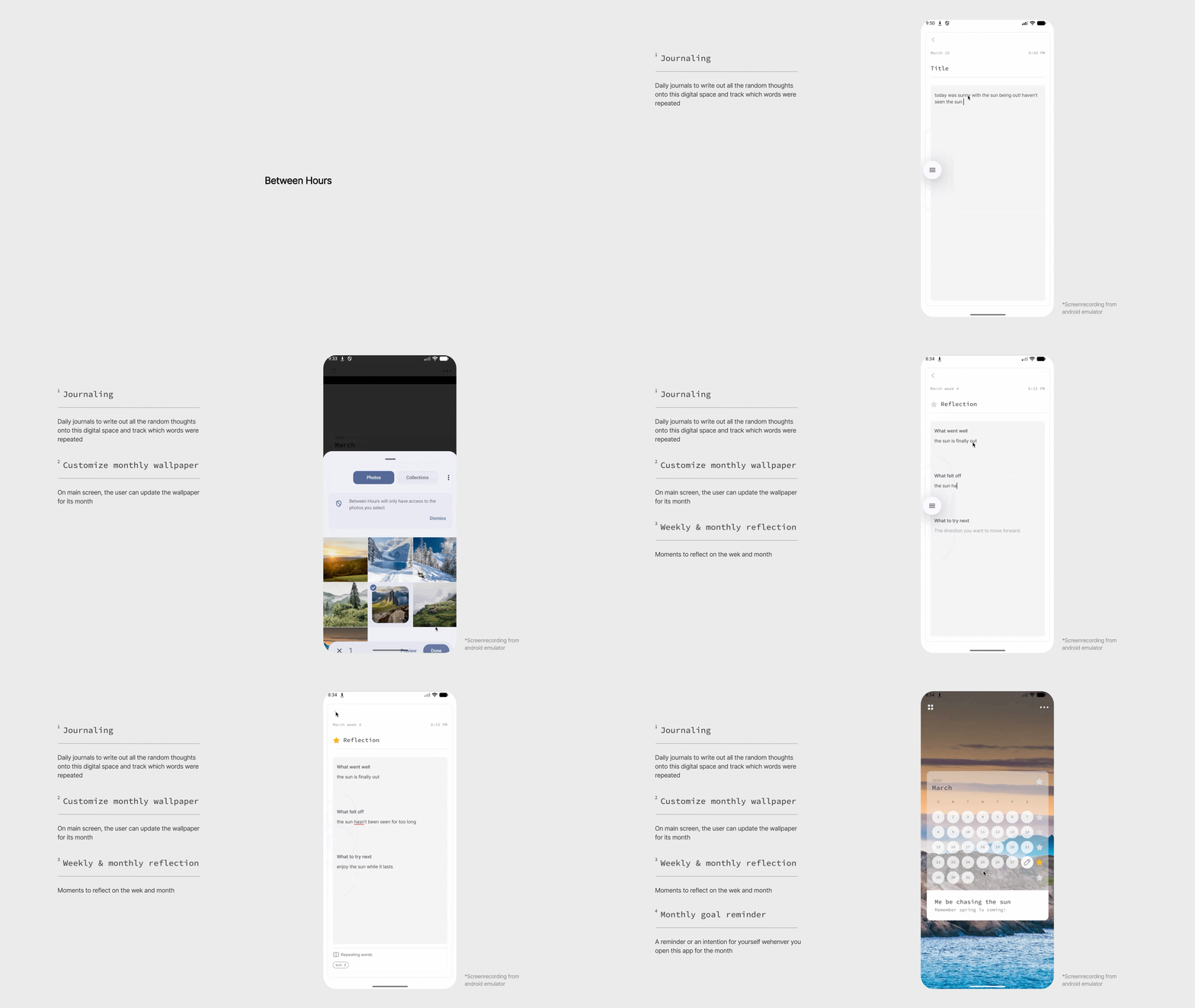
Designed for in-between moments
A quiet journaling experience designed for in-between moments, where motion guides without interrupting.
While commuting in New York, I often wrote fragmented thoughts on my phone. They were disconnected, unstructured, and difficult to revisit in any meaningful way. I wanted a space that could hold those moments more intentionally while gently helping me notice patterns in how I think.
I built this as a personal tool to explore how motion can support interaction in a minimal, reflective product.
² Design direction
I intentionally avoided building an “intelligent” or overly analytical journaling tool.
The goal was not to interpret thoughts, but to gently surface patterns without disrupting the act of writing.
This led to two design constraints:
Writing must remain uninterrupted and primary
Motion should guide attention, not compete with it
Motion in this app serves three roles:
Guidance — drawing attention to key actions without labels
Feedback — confirming user actions subtly
Tone — reinforcing a calm, reflective experience
³ Distributed motion system
Add-icon Animations
Rpeating-words-icon Animations
Reflection-icon Animations
Reflection is a low-motivation task.
Unlike writing, which is immediate and expressive, reflection requires pause and effort, making it easy to skip.
Top-words-icon Animations
Instead of relying on a single animated character, I explored a distributed system of small, purposeful motion cues across the interface.
Each icon carries a single responsibility:
Add button → invites exploration through motion rather than instruction
Writing icon → mimics analog journaling, reinforcing the act of writing
Analysis icon → surfaces repeated language patterns
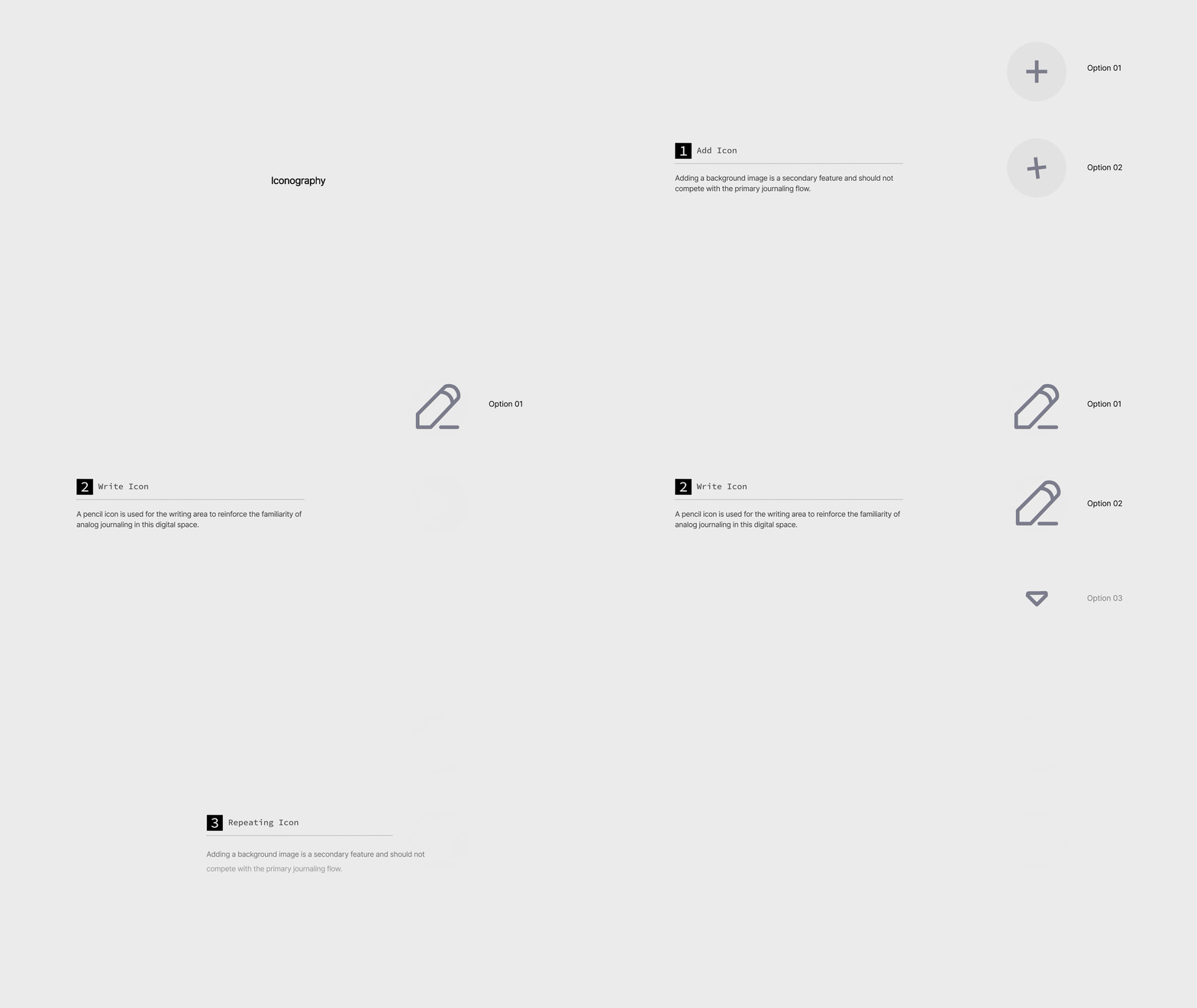
Reflection star → rewards completion with a subtle state transition
Top words icon → guide to bring awareness to what the top 5 words are

This approach reduces cognitive load while maintaining engagement.
Adding a background image is a secondary feature and should not compete with the primary journaling flow.
The motion is designed to signal interactivity without introducing visual noise. I explored three variations with different levels of emphasis, focusing on how each influenced attention within the screen hierarchy.
I selected the most restrained option, where motion acts as a subtle affordance rather than a visual focal point. This ensures the feature remains discoverable while preserving the calm, writing-first environment.
Motion became the primary tool for this. Instead of remaining static, the reflection icon supports two key states:
Thinking: a subtle, continuous rotation while the user is reflecting
The thinking state mirrors the internal process of reflection. By gently visualizing this state, the interface reinforces focus without demanding attention.
Completed: a short transition into a filled state once reflection is done
The completed state acts as a quiet acknowledgment. Rather than a celebratory animation, the motion is brief and controlled, providing immediate feedback.
On the technical side, all states are unified within a single Lottie file and treated as a state machine rather than separate assets.
Idle (incomplete) — frozen initial frame (gray star)
Thinking — subtle loop during reflection
Completed — animation plays once, then rests on the final frame (yellow star)
A lightning icon is used to signal emphasis and draw attention to this summary moment within the experience.
Option 01 has more animated, bouncy interactions, but these feel overly expressive for the context. Option 02 is more fitting as it is controlled and creates a sense of prominence while maintaining a calm tone.
A pencil icon is used for the writing area to reinforce the familiarity of analog journaling in this digital space.
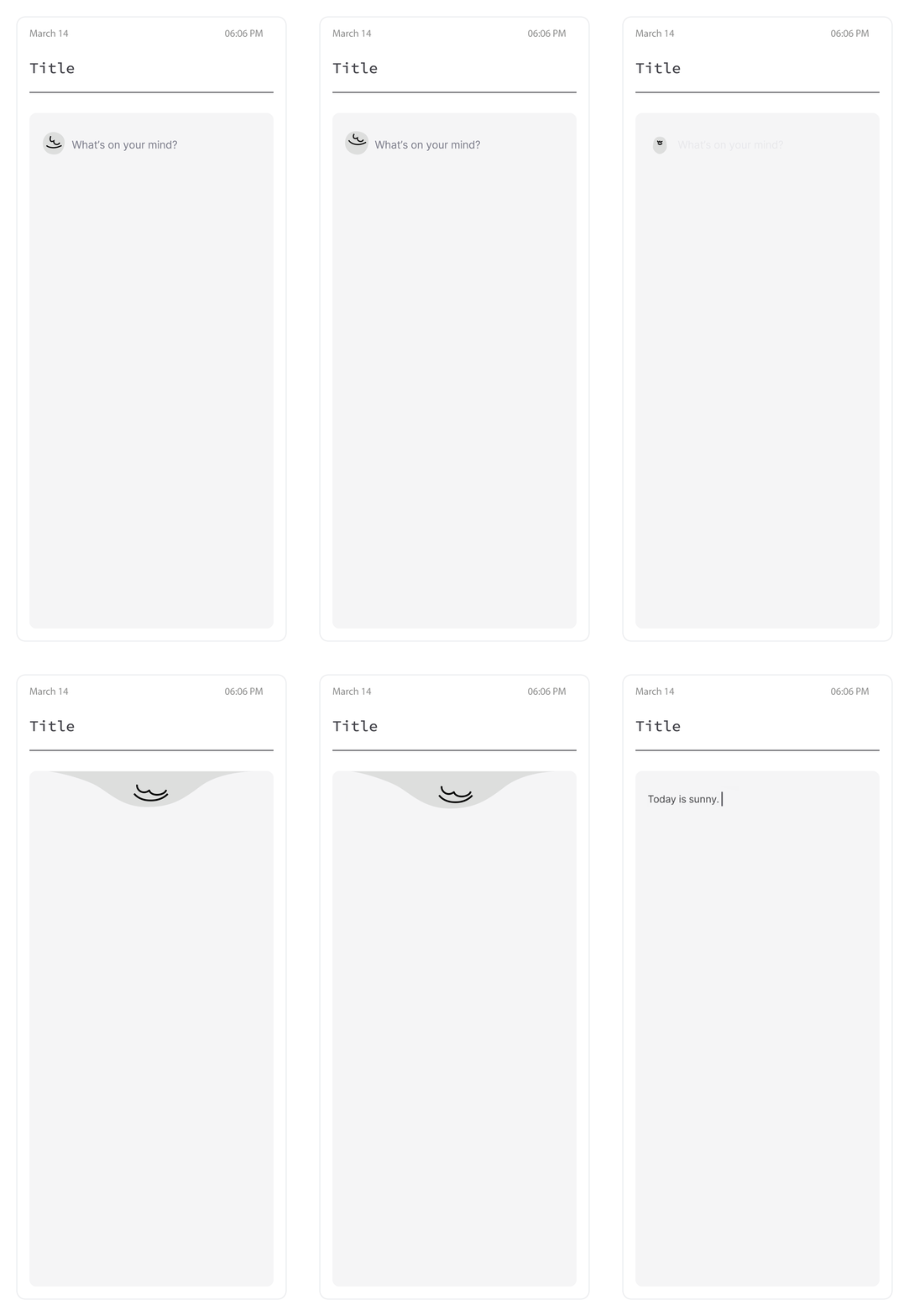
Motion guides attention toward the input field, inviting the user to write. Out of these three explorations, Option 03 creates the most focus to the journaling area. It also has a deliberately brief exit, which does not interfere with the flow of writing.
Write-icon Animations
A book icon represents the repeated words feature, referencing a dictionary and the idea of examining language.
The motion is intentionally subtle, with a light page-turn interaction that draws attention without interrupting the journaling flow. It acts as a quiet signal that insight is available.
This provides immediate, lightweight feedback after writing, making the experience feel more engaging.
⁴ UI Motion System
Duration Tokens
Tokens, Timing, and Behavior
A unified motion system designed to ensure consistency, clarity, and accessibility across all transitions.
Motion is driven by tokens, not ad-hoc values
Easing + duration are paired into presets
The system scales across screens, overlays, and micro-interactions
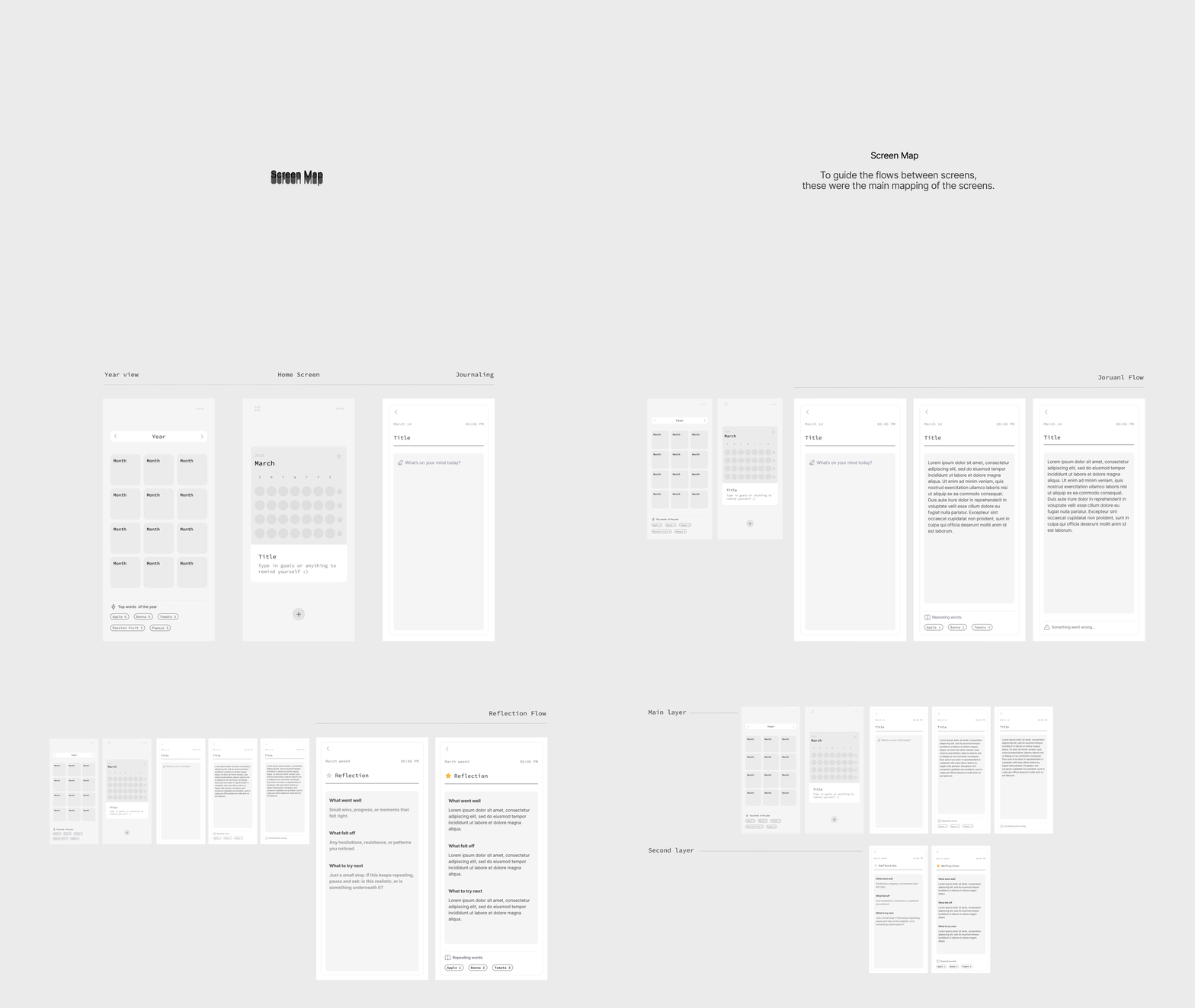
For interactions and interfaces, these were the main durations set for this app.
micro: 100ms. Native rendering buffer — never user-visible
fast: 200ms. Small UI transitions (toggles, popups)
standard: 300ms. Screen transitions
slow: 500ms. Large surface reveals (wasn’t used, but kept it as a part of the system )
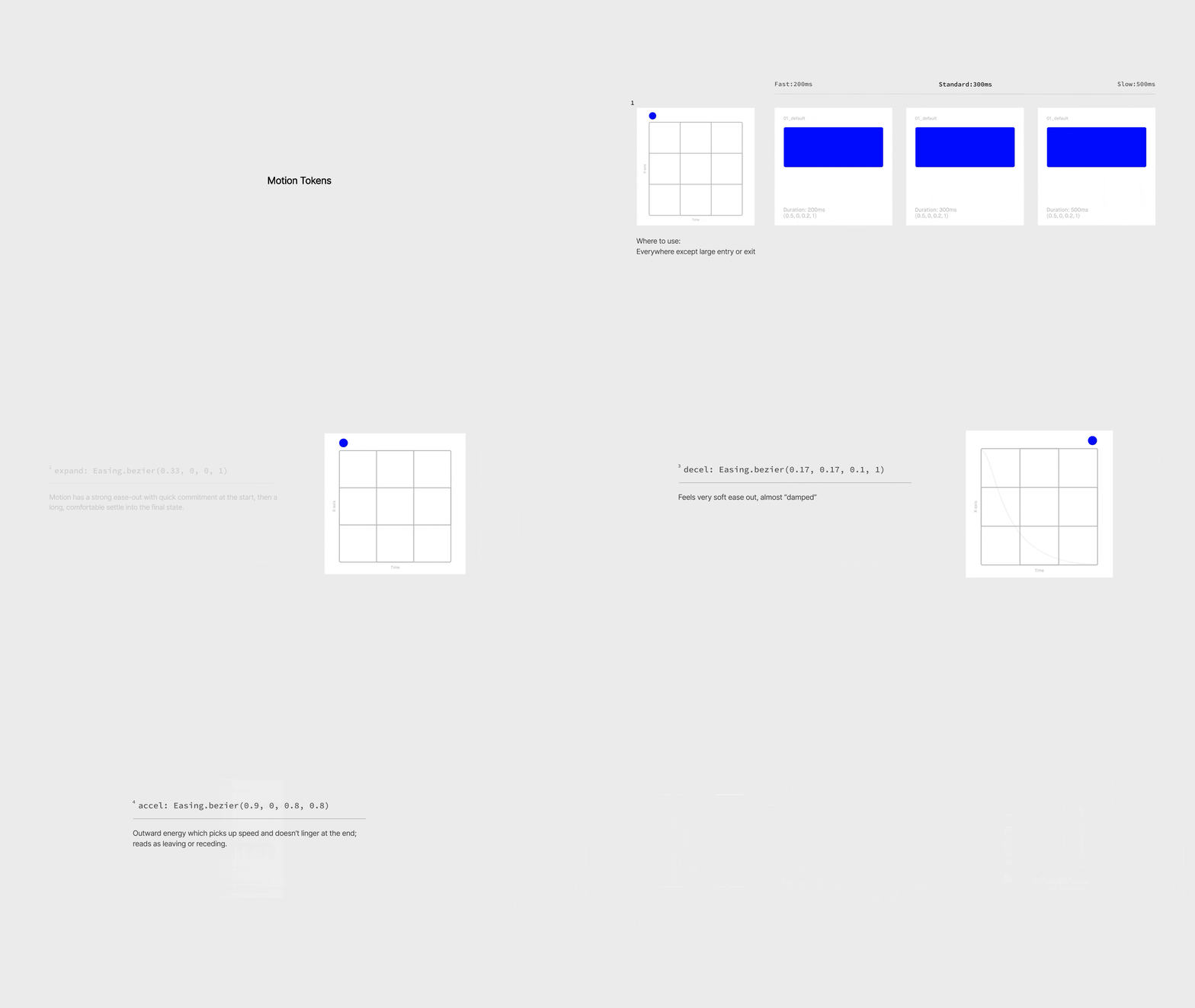
Easing Tokens
These four easings were built to be used depending on the context throughout the app.
Default for the general state transitions
Expand for pop ups and entering with energy
Decel for entering or settling to rest
Accel for exit or accelerating away